Dead by Daylight Move & Ability Guide
The Lich moves, skills and special abilities Move & Ability Guide
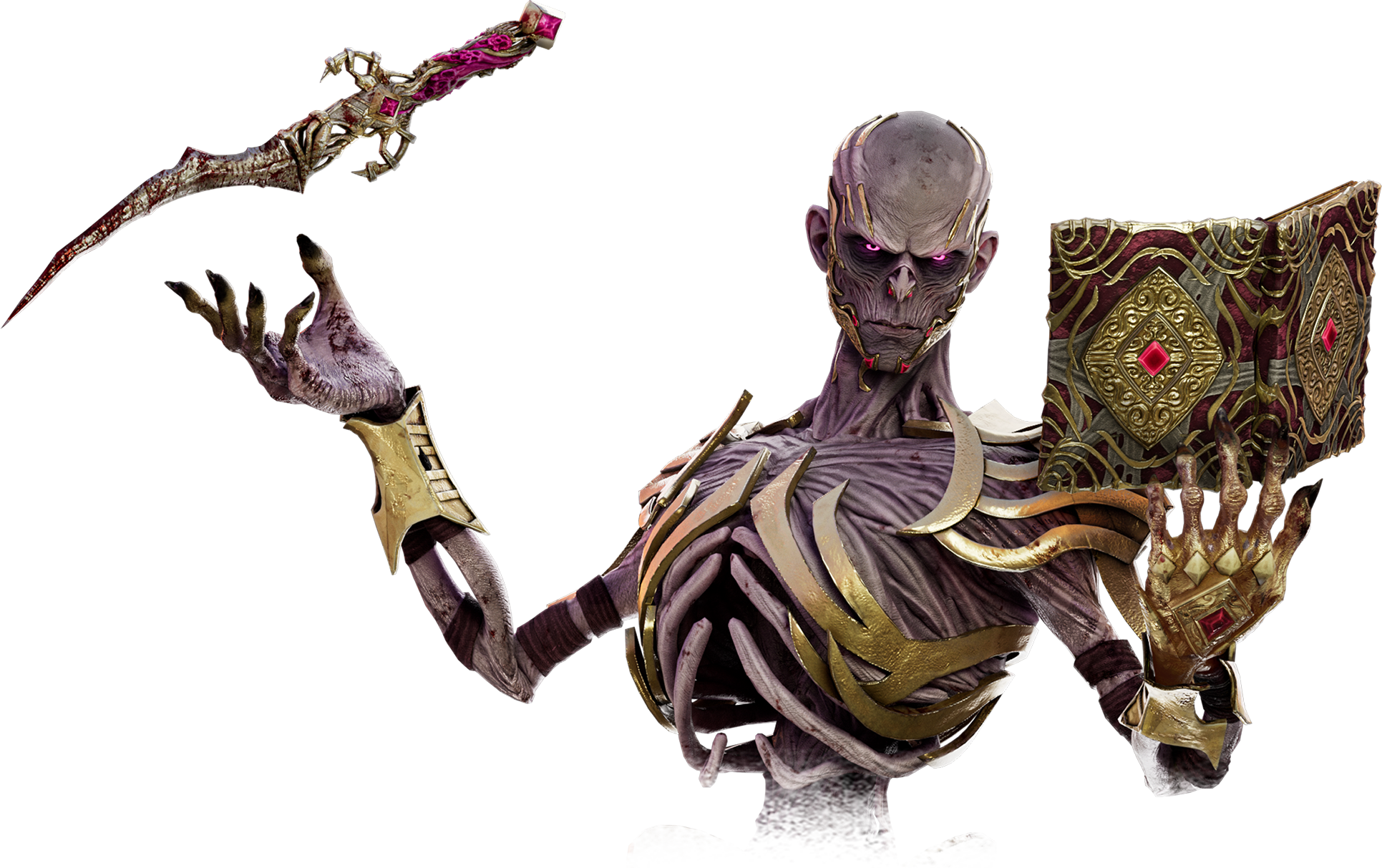
Vecna casts four spells to pursue and hinder Survivors. Official difficulty: Medium.
8 ability entries 3 Perk 4 Special Ability 1 Killer Power
↗ Share 🔗 Copy Link
Perk (3) Special Ability (4) Killer Power (1) Killer actions: Default PC / PlayStation / Xbox: Power = right mouse / L2 / LT; Attack = left mouse / R2 / RT; Active Ability = Left Ctrl / L1 / LB; Interact = Space / R1 / RB. Secondary Power and Secondary Ability prompts can differ; use the named on-screen action and your current bindings. Automatic states and Survivor interactions are labeled separately from killer attacks.
Perk 3 Dark Arrogance
Perk How it is used
Activation follows this perk’s conditions; see the description and in-game action prompt.
Faster window vaults and recovery from missed basic attacks; increased stun and blindness duration.
Languid Touch
Perk How it is used
Activation follows this perk’s conditions; see the description and in-game action prompt.
Crow disturbances can inflict Exhaustion.
Weave Attunement
Perk How it is used
Activation follows this perk’s conditions; see the description and in-game action prompt.
Reveals Survivors near depleted items.
Special Ability 4 Dispelling Sphere
Special Ability Controls: Default action names — PC / PlayStation / Xbox
How it is used
Hold Active Ability, choose Dispelling Sphere, then use the Cast prompt.
Detects Survivors and disrupts Magic Items.
Command details & verification Sequence checked against the publisher’s released notes; use the displayed secondary-action binding rather than assuming it shares the Power button.
Flight of the Damned
Special Ability Controls: Default action names — PC / PlayStation / Xbox
How it is used
Hold Active Ability, choose Flight of the Damned, then use the Cast prompt.
Sends spectral projectiles through obstacles.
Command details & verification Sequence checked against the publisher’s released notes; use the displayed secondary-action binding rather than assuming it shares the Power button.
Fly
Special Ability Controls: Default action names — PC / PlayStation / Xbox
How it is used
Hold Active Ability, choose Fly, then use the Cast prompt.
Travels rapidly across obstacles.
Command details & verification Sequence checked against the publisher’s released notes; use the displayed secondary-action binding rather than assuming it shares the Power button.
Mage Hand
Special Ability Controls: Default action names — PC / PlayStation / Xbox
How it is used
Hold Active Ability, choose Mage Hand, target a pallet and use the Cast prompt.
Manipulates or blocks pallets.
Command details & verification Sequence checked against the publisher’s released notes; use the displayed secondary-action binding rather than assuming it shares the Power button.
Killer Power 1 The Book of Vile Darkness
Killer Power Controls: Default action names — PC / PlayStation / Xbox
How it is used
Hold Active Ability to open the spell selector; select a spell, then use its Cast prompt.
Cycles through four magic spells.
Command details & verification Sequence checked against the publisher’s released notes; use the displayed secondary-action binding rather than assuming it shares the Power button.
Build around a clear job Treat the listed powers and perks as components with conditions, rather than a guarantee that every effect is active together.
GetCheatBeacon's practical checklist for The Lich:
What is the setup trying to improve: information, chase, recovery or objective pressure? Can the listed activation condition occur in the situation you are planning for? Which weakness remains after choosing the first effect? Check current perk text before spending unlock resources; test the complete loadout rather than judging one isolated effect. Read the related game guide →