Home›Games›Genshin Impact›Raiden Shogun
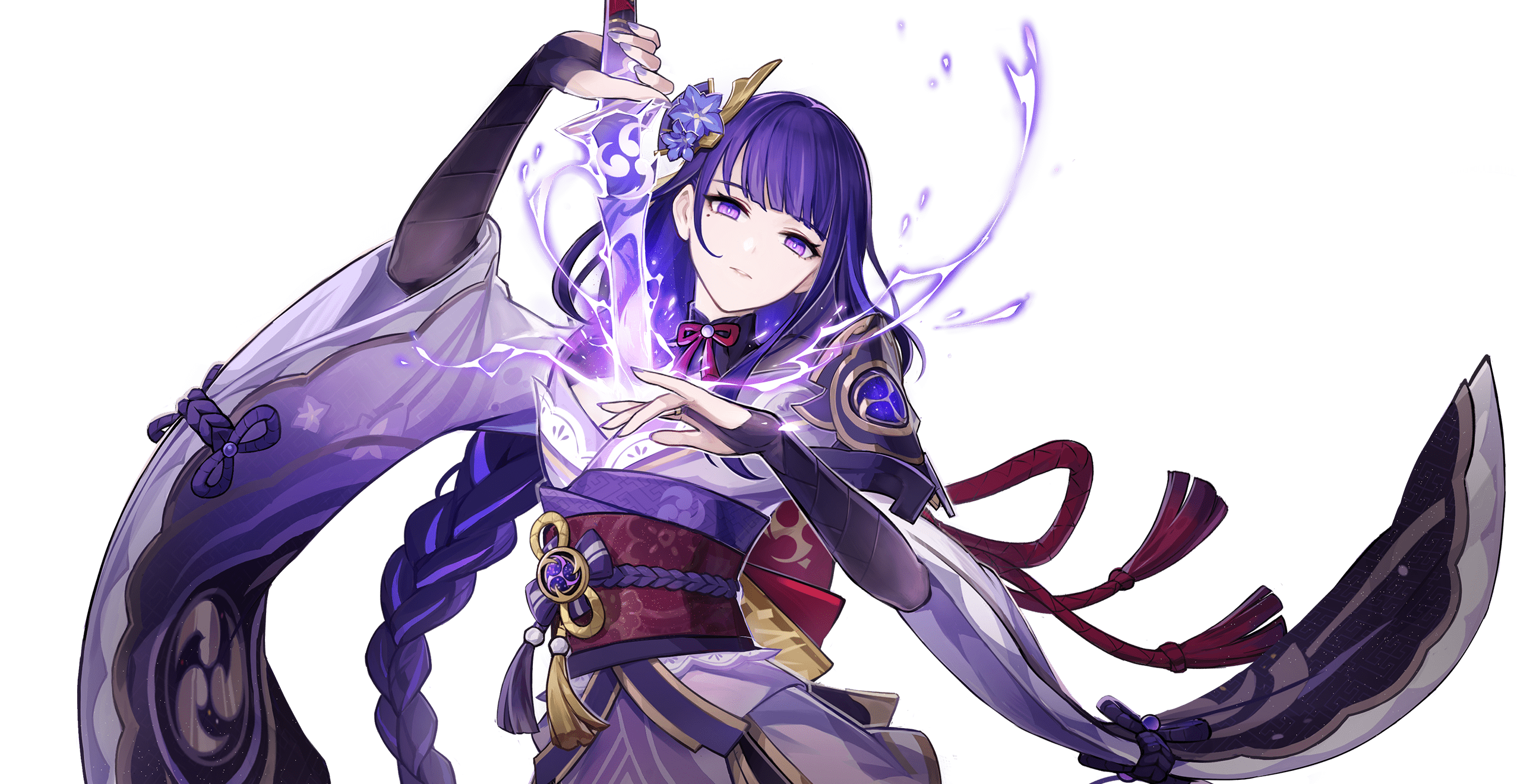
Raiden Shogun Genshin Impact character artwork
Genshin Impact Talents & Skills Guide

Raiden Shogun talents, skills, passives and Constellations

Talents & Skills Guide

Creates an Eye of Stormy Judgment that performs coordinated Electro attacks and raises teammates' Elemental Burst damage. Deals Electro area damage and enters Musou Isshin, converting normal attacks into burst damage and restoring team energy.

12 ability entries1 Normal Attack1 Elemental Skill1 Elemental Burst2 Ascension Passive1 Passive Talent6 Constellation
Talent controls: Normal Attack, Elemental Skill and Elemental Burst have separate buttons. Tap, hold, recast and airborne requirements vary by talent. Passives and Constellations trigger through their listed conditions; they do not have separate activation commands. Energy, cooldown and unlock requirements appear with the talent.

Normal Attack

1
Origin
Normal Attack
Controls: PC keyboard/mouse / PlayStation / Xbox / mobile — default bindings
How it is used
PC: Left Mouse Button | PlayStation: Circle | Xbox: B | Mobile: Attack icon. Charged attack: hold Attack where supported; plunging attack: press Attack while airborne.

Uses a five-hit polearm sequence, a stamina-cost rising slash, and an area plunge attack.

Cooldown / cost: Charged Attack Stamina Cost: 25.0

Command details & verification
Concise gameplay summary. Talent identity and mechanics checked against the linked HoYoWiki character record.
Elemental Skill

1
Transcendence: Baleful Omen
Elemental Skill
Controls: PC keyboard/mouse / PlayStation / Xbox / mobile — default bindings
How it is used
PC: E | PlayStation: R2 | Xbox: RT | Mobile: Elemental Skill icon. Use the tap, hold or recast variant described for this talent.

Creates an Eye of Stormy Judgment that performs coordinated Electro attacks and raises teammates' Elemental Burst damage.

Cooldown / cost: CD: 10.0s

Command details & verification
Concise gameplay summary. Talent identity and mechanics checked against the linked HoYoWiki character record.

Elemental Burst

1
Secret Art: Musou Shinsetsu
Elemental Burst
Controls: PC keyboard/mouse / PlayStation / Xbox / mobile — default bindings
How it is used
PC: Q | PlayStation: Triangle | Xbox: Y | Mobile: Elemental Burst icon. Requires sufficient Energy and an available cooldown.

Deals Electro area damage and enters Musou Isshin, converting normal attacks into burst damage and restoring team energy.

Cooldown / cost: Charged Attack Stamina Cost: 20.0; CD: 18.0s; Energy Cost: 90

Command details & verification
Concise gameplay summary. Talent identity and mechanics checked against the linked HoYoWiki character record.

Ascension Passive

2
Wishes Unnumbered
Ascension Passive
Controls: PC keyboard/mouse / PlayStation / Xbox / mobile — default bindings
How it is used
Automatic effect; no separate button sequence. Requires the listed talent unlock or trigger.

Gaining elemental orbs or particles gives Chakra Desiderata two Resolve stacks, at most once every three seconds.

Command details & verification
Concise gameplay summary. Talent identity and mechanics checked against the linked HoYoWiki character record.
Enlightened One
Ascension Passive
Controls: PC keyboard/mouse / PlayStation / Xbox / mobile — default bindings
How it is used
Automatic effect; no separate button sequence. Requires the listed talent unlock or trigger.

Energy Recharge above 100% increases energy restoration from Musou Isshin and grants Electro damage bonus.

Command details & verification
Concise gameplay summary. Talent identity and mechanics checked against the linked HoYoWiki character record.

Passive Talent

1
All-Preserver
Passive Talent
Controls: PC keyboard/mouse / PlayStation / Xbox / mobile — default bindings
How it is used
Automatic effect; no separate button sequence. Requires the listed talent unlock or trigger.

Sword and polearm ascension requires half the usual Mora.

Command details & verification
Concise gameplay summary. Talent identity and mechanics checked against the linked HoYoWiki character record.

Constellation

6
Ominous Inscription
Constellation
Controls: PC keyboard/mouse / PlayStation / Xbox / mobile — default bindings
How it is used
Automatic effect; no separate button sequence. Unlock the corresponding Constellation level.

Electro character bursts generate 80% more Resolve; bursts from other elements generate 20% more.

Requirements / unlock: Constellation 1

Command details & verification
Concise gameplay summary. Talent identity and mechanics checked against the linked HoYoWiki character record.
Steelbreaker
Constellation
Controls: PC keyboard/mouse / PlayStation / Xbox / mobile — default bindings
How it is used
Automatic effect; no separate button sequence. Unlock the corresponding Constellation level.

Musou no Hitotachi and Musou Isshin attacks ignore 60% of enemy defense.

Requirements / unlock: Constellation 2

Command details & verification
Concise gameplay summary. Talent identity and mechanics checked against the linked HoYoWiki character record.
Shinkage Bygones
Constellation
Controls: PC keyboard/mouse / PlayStation / Xbox / mobile — default bindings
How it is used
Automatic effect; no separate button sequence. Unlock the corresponding Constellation level.

Raises Secret Art: Musou Shinsetsu talent level by three.

Requirements / unlock: Constellation 3

Command details & verification
Concise gameplay summary. Talent identity and mechanics checked against the linked HoYoWiki character record.
Pledge of Propriety
Constellation
Controls: PC keyboard/mouse / PlayStation / Xbox / mobile — default bindings
How it is used
Automatic effect; no separate button sequence. Unlock the corresponding Constellation level.

Nearby teammates other than Raiden gain 30% attack for ten seconds after Musou Isshin ends.

Requirements / unlock: Constellation 4

Command details & verification
Concise gameplay summary. Talent identity and mechanics checked against the linked HoYoWiki character record.
Shogun's Descent
Constellation
Controls: PC keyboard/mouse / PlayStation / Xbox / mobile — default bindings
How it is used
Automatic effect; no separate button sequence. Unlock the corresponding Constellation level.

Raises Transcendence: Baleful Omen talent level by three.

Requirements / unlock: Constellation 5

Command details & verification
Concise gameplay summary. Talent identity and mechanics checked against the linked HoYoWiki character record.
Wishbearer
Constellation
Controls: PC keyboard/mouse / PlayStation / Xbox / mobile — default bindings
How it is used
Automatic effect; no separate button sequence. Unlock the corresponding Constellation level.

During Musou Isshin, qualifying hits reduce nearby teammates' burst cooldowns, subject to a five-trigger limit.

Requirements / unlock: Constellation 6

Command details & verification
Concise gameplay summary. Talent identity and mechanics checked against the linked HoYoWiki character record.

Plan a team around these talents

Read the Elemental Skill and Burst separately from passive talents and Constellations. A listed Constellation effect should only be included in your plan when unlocked.

GetCheatBeacon's practical checklist for Raiden Shogun:

  • Which talent needs field time, and which can contribute after switching characters?
  • What Energy, cooldown or unlock requirements are listed for the effect you want?
  • Which teammate covers the gap in your current party?
  • Test a rotation you can repeat before investing further. This reference is not a ranked artifact or weapon build.

Read the related game guide →