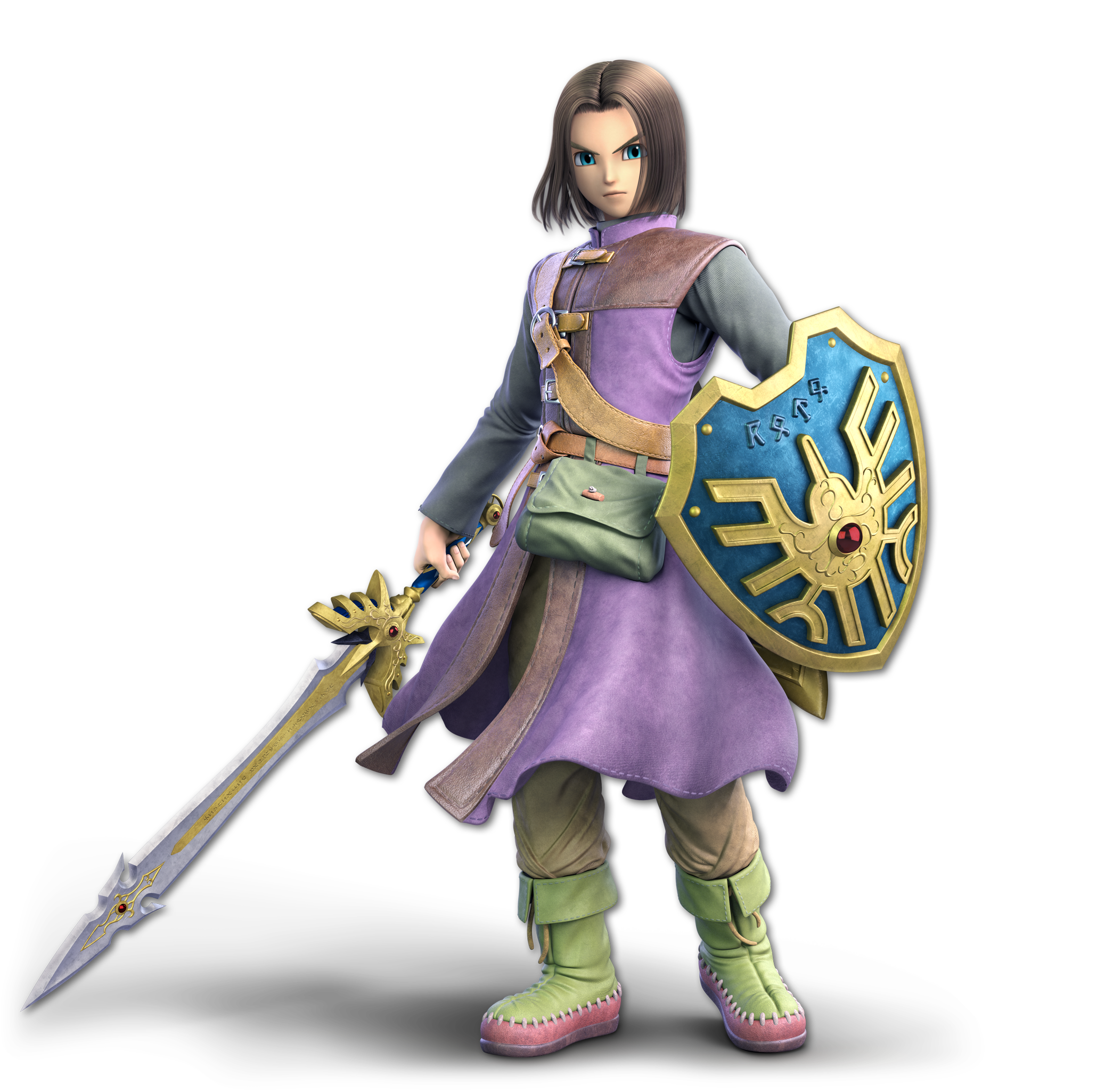
Hero Super Smash Bros. Ultimate fighter artwork
Super Smash Bros. Ultimate Move & Ability Guide

Hero moves, skills and special abilities

Move & Ability Guide

Hero is a fighter in Super Smash Bros. Ultimate. This page collects the published moves, skills and special abilities currently available in GetCheatBeacon's character database.

50 ability entries2 Ground Attacks3 Tilt Attacks4 Smash Attacks5 Aerial Attacks1 Grab1 Pummel4 Throws9 Special21 Command Selection
Smash inputs: Default Pro Controller/two Joy-Con: A = Attack, B = Special, X/Y = Jump, ZL/ZR = Shield, L/R = Grab. GameCube: Z = Grab. Pummel uses A after a successful grab. Command directions assume facing right and mirror when facing left. + means simultaneous; tap and hold are different actions.

Ground Attacks

2
Neutral Attack
Ground Attack
Controls: Nintendo Switch β€” Default Controls
How it is used
A

Verified Super Smash Bros. Ultimate fighter move.
SSBU current movesetSource β†—
Dash Attack
Ground Attack
Controls: Nintendo Switch β€” Default Controls
How it is used
Dash + A

Verified Super Smash Bros. Ultimate fighter move.

SSBU current movesetSource β†—

Tilt Attacks

3
Forward Tilt
Tilt
Controls: Nintendo Switch β€” Default Controls
How it is used
Left/Right + A

Verified Super Smash Bros. Ultimate fighter move.

SSBU current movesetSource β†—
Up Tilt
Tilt
Controls: Nintendo Switch β€” Default Controls
How it is used
Up + A

Verified Super Smash Bros. Ultimate fighter move.

SSBU current movesetSource β†—
Down Tilt
Tilt
Controls: Nintendo Switch β€” Default Controls
How it is used
Down + A

Verified Super Smash Bros. Ultimate fighter move.

SSBU current movesetSource β†—

Smash Attacks

4
Forward Smash
Smash
Controls: Nintendo Switch β€” Default Controls
How it is used
Smash Left/Right + A

Verified Super Smash Bros. Ultimate fighter move.

SSBU current movesetSource β†—
Up Smash
Smash
Controls: Nintendo Switch β€” Default Controls
How it is used
Smash Up + A

Verified Super Smash Bros. Ultimate fighter move.

SSBU current movesetSource β†—
Down Smash
Smash
Controls: Nintendo Switch β€” Default Controls
How it is used
Smash Down + A

Verified Super Smash Bros. Ultimate fighter move.

SSBU current movesetSource β†—
Gigaslash
Final Smash
Controls: Nintendo Switch β€” Default Controls
How it is used
B with Final Smash ready

Verified Super Smash Bros. Ultimate fighter move.

SSBU current movesetSource β†—

Aerial Attacks

5
Neutral Air
Aerial
Controls: Nintendo Switch β€” Default Controls
How it is used
A in air

Verified Super Smash Bros. Ultimate fighter move.

SSBU current movesetSource β†—
Forward Air
Aerial
Controls: Nintendo Switch β€” Default Controls
How it is used
Forward + A in air

Verified Super Smash Bros. Ultimate fighter move.

SSBU current movesetSource β†—
Back Air
Aerial
Controls: Nintendo Switch β€” Default Controls
How it is used
Back + A in air

Verified Super Smash Bros. Ultimate fighter move.

SSBU current movesetSource β†—
Up Air
Aerial
Controls: Nintendo Switch β€” Default Controls
How it is used
Up + A in air

Verified Super Smash Bros. Ultimate fighter move.

SSBU current movesetSource β†—
Down Air
Aerial
Controls: Nintendo Switch β€” Default Controls
How it is used
Down + A in air

Verified Super Smash Bros. Ultimate fighter move.

SSBU current movesetSource β†—

Grabs

1
Grab
Grab
Controls: Nintendo Switch β€” default controls
How it is used
Pro Controller / two Joy-Con: L or R; alternatively Shield + A. GameCube controller: Z.

Verified Super Smash Bros. Ultimate fighter move.

Command details & verification
ZL/ZR are Shield on the Pro Controller/two Joy-Con layout; they are not the default standalone Grab buttons. Reference: https://www.ssbwiki.com/Controls
SSBU current movesetSource β†—

Pummels

1
Pummel
Pummel
Controls: Nintendo Switch β€” default controls
How it is used
A while holding a grabbed opponent

Attack the opponent while your grab is holding them.

Requirements / unlock: Opponent is already grabbed.

Throws

4
Forward Throw
Throw
Controls: Nintendo Switch β€” Default Controls
How it is used
Grab + Forward

Verified Super Smash Bros. Ultimate fighter move.

SSBU current movesetSource β†—
Back Throw
Throw
Controls: Nintendo Switch β€” Default Controls
How it is used
Grab + Back

Verified Super Smash Bros. Ultimate fighter move.

SSBU current movesetSource β†—
Up Throw
Throw
Controls: Nintendo Switch β€” Default Controls
How it is used
Grab + Up

Verified Super Smash Bros. Ultimate fighter move.

SSBU current movesetSource β†—
Down Throw
Throw
Controls: Nintendo Switch β€” Default Controls
How it is used
Grab + Down

Verified Super Smash Bros. Ultimate fighter move.

SSBU current movesetSource β†—

Special

9
Frizz
Special
Controls: Nintendo Switch β€” Default Controls
How it is used
B β€” uncharged

Verified Super Smash Bros. Ultimate fighter move.

SSBU current movesetSource β†—
Frizzle
Special
Controls: Nintendo Switch β€” Default Controls
How it is used
Hold B β€” partial charge

Verified Super Smash Bros. Ultimate fighter move.

SSBU current movesetSource β†—
Kafrizz
Special
Controls: Nintendo Switch β€” Default Controls
How it is used
Hold B β€” full charge

Verified Super Smash Bros. Ultimate fighter move.

SSBU current movesetSource β†—
Zap
Special
Controls: Nintendo Switch β€” Default Controls
How it is used
Left/Right + B β€” uncharged

Verified Super Smash Bros. Ultimate fighter move.

SSBU current movesetSource β†—
Zapple
Special
Controls: Nintendo Switch β€” Default Controls
How it is used
Hold Left/Right + B β€” partial charge

Verified Super Smash Bros. Ultimate fighter move.

SSBU current movesetSource β†—
Kazap
Special
Controls: Nintendo Switch β€” Default Controls
How it is used
Hold Left/Right + B β€” full charge

Verified Super Smash Bros. Ultimate fighter move.

SSBU current movesetSource β†—
Woosh
Special
Controls: Nintendo Switch β€” Default Controls
How it is used
Up + B β€” uncharged

Verified Super Smash Bros. Ultimate fighter move.

SSBU current movesetSource β†—
Swoosh
Special
Controls: Nintendo Switch β€” Default Controls
How it is used
Hold Up + B β€” partial charge

Verified Super Smash Bros. Ultimate fighter move.

SSBU current movesetSource β†—
Kaswoosh
Special
Controls: Nintendo Switch β€” Default Controls
How it is used
Hold Up + B β€” full charge

Verified Super Smash Bros. Ultimate fighter move.

SSBU current movesetSource β†—

Command Selection

21
Sizz
Command Selection
Controls: Nintendo Switch β€” Default Controls
How it is used
Down + B β†’ select Sizz

Verified Super Smash Bros. Ultimate fighter move.

SSBU current movesetSource β†—
Sizzle
Command Selection
Controls: Nintendo Switch β€” Default Controls
How it is used
Down + B β†’ select Sizzle

Verified Super Smash Bros. Ultimate fighter move.

SSBU current movesetSource β†—
Bang
Command Selection
Controls: Nintendo Switch β€” Default Controls
How it is used
Down + B β†’ select Bang

Verified Super Smash Bros. Ultimate fighter move.

SSBU current movesetSource β†—
Kaboom
Command Selection
Controls: Nintendo Switch β€” Default Controls
How it is used
Down + B β†’ select Kaboom

Verified Super Smash Bros. Ultimate fighter move.

SSBU current movesetSource β†—
Snooze
Command Selection
Controls: Nintendo Switch β€” Default Controls
How it is used
Down + B β†’ select Snooze

Verified Super Smash Bros. Ultimate fighter move.

SSBU current movesetSource β†—
Flame Slash
Command Selection
Controls: Nintendo Switch β€” Default Controls
How it is used
Down + B β†’ select Flame Slash

Verified Super Smash Bros. Ultimate fighter move.

SSBU current movesetSource β†—
Kacrackle Slash
Command Selection
Controls: Nintendo Switch β€” Default Controls
How it is used
Down + B β†’ select Kacrackle Slash

Verified Super Smash Bros. Ultimate fighter move.

SSBU current movesetSource β†—
Metal Slash
Command Selection
Controls: Nintendo Switch β€” Default Controls
How it is used
Down + B β†’ select Metal Slash

Verified Super Smash Bros. Ultimate fighter move.

SSBU current movesetSource β†—
Hatchet Man
Command Selection
Controls: Nintendo Switch β€” Default Controls
How it is used
Down + B β†’ select Hatchet Man

Verified Super Smash Bros. Ultimate fighter move.

SSBU current movesetSource β†—
Whack
Command Selection
Controls: Nintendo Switch β€” Default Controls
How it is used
Down + B β†’ select Whack

Verified Super Smash Bros. Ultimate fighter move.

SSBU current movesetSource β†—
Thwack
Command Selection
Controls: Nintendo Switch β€” Default Controls
How it is used
Down + B β†’ select Thwack

Verified Super Smash Bros. Ultimate fighter move.

SSBU current movesetSource β†—
Magic Burst
Command Selection
Controls: Nintendo Switch β€” Default Controls
How it is used
Down + B β†’ select Magic Burst

Verified Super Smash Bros. Ultimate fighter move.

SSBU current movesetSource β†—
Kamikazee
Command Selection
Controls: Nintendo Switch β€” Default Controls
How it is used
Down + B β†’ select Kamikazee

Verified Super Smash Bros. Ultimate fighter move.

SSBU current movesetSource β†—
Kaclang
Command Selection
Controls: Nintendo Switch β€” Default Controls
How it is used
Down + B β†’ select Kaclang

Verified Super Smash Bros. Ultimate fighter move.

SSBU current movesetSource β†—
Acceleratle
Command Selection
Controls: Nintendo Switch β€” Default Controls
How it is used
Down + B β†’ select Acceleratle

Verified Super Smash Bros. Ultimate fighter move.

SSBU current movesetSource β†—
Oomph
Command Selection
Controls: Nintendo Switch β€” Default Controls
How it is used
Down + B β†’ select Oomph

Verified Super Smash Bros. Ultimate fighter move.

SSBU current movesetSource β†—
Bounce
Command Selection
Controls: Nintendo Switch β€” Default Controls
How it is used
Down + B β†’ select Bounce

Verified Super Smash Bros. Ultimate fighter move.

SSBU current movesetSource β†—
Heal
Command Selection
Controls: Nintendo Switch β€” Default Controls
How it is used
Down + B β†’ select Heal

Verified Super Smash Bros. Ultimate fighter move.

SSBU current movesetSource β†—
Hocus Pocus
Command Selection
Controls: Nintendo Switch β€” Default Controls
How it is used
Down + B β†’ select Hocus Pocus

Verified Super Smash Bros. Ultimate fighter move.

SSBU current movesetSource β†—
Psyche Up
Command Selection
Controls: Nintendo Switch β€” Default Controls
How it is used
Down + B β†’ select Psyche Up

Verified Super Smash Bros. Ultimate fighter move.

SSBU current movesetSource β†—
Zoom
Command Selection
Controls: Nintendo Switch β€” Default Controls
How it is used
Down + B β†’ select Zoom

Verified Super Smash Bros. Ultimate fighter move.

SSBU current movesetSource β†—