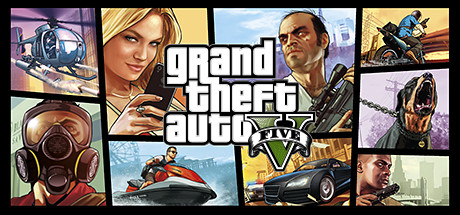
GTA 5 Special Abilities: How to Use Franklin, Michael & Trevor
Activate GTA 5 Story Mode abilities, understand Franklin's driving slow motion, Michael's shooting slow motion and Trevor's rage, and troubleshoot the ability meter.
GTA 5 Special Abilities: How to Use Franklin, Michael & Trevor
Quick answer: Franklin slows time while driving a road vehicle; Michael slows time during gunfights; Trevor enters a combat rage. These are GTA 5 Story Mode abilities. Use the separate Special ability controller-input card for the PlayStation, Xbox and PC activation sequence.
Franklin: slow-motion driving
Activate the ability while driving a road vehicle when you need more control through traffic or a difficult corner. Rockstar's manual says high-speed driving, near misses and driving against traffic help fill his ability bar. Our recommendation is to practise a clean corner before attempting a busy chase: activate before the turn, steer through it and compare the result with your normal approach.
Michael: slow-motion shooting
Michael's ability slows a gunfight so you can pick targets more carefully. The manual identifies high-speed driving, headshots and stealth takedowns as recharge actions. Get into a useful position before activating it; slowing time does not supply a clear line of sight through cover.
Trevor: combat rage
The official Xbox-hosted manual describes double outgoing damage and half incoming damage during rage. It lists kills, headshots, high-speed driving and taking damage as recharge actions. Some community descriptions instead call the effect invulnerability. Unverified conflict: we have not tested the differences across editions or damage types. Do not assume rage protects against every cause of death.
How to activate the right ability
- Play as the appropriate protagonist in Story Mode.
- Check the special-ability bar beneath the mini-map.
- Use Franklin in a road vehicle or choose an appropriate on-foot combat situation for Michael or Trevor.
- Follow your platform's activation card and confirm the effect starts.
The exact buttons remain in the standalone input section. Custom bindings can change the default action. GTA Online's character actions should not be confused with these three Story Mode powers.
Why the special ability may not work
- Empty meter: check the bar before repeating the input.
- Wrong context: Franklin's driving effect needs the appropriate vehicle situation.
- Wrong mode: confirm you are in Story Mode with the intended protagonist.
- Wrong binding: inspect the Special Ability action in your control settings.
- Mission restriction: follow the current tutorial or mission instruction before treating the behavior as a general fault.
Choose an ability by the problem
For traffic and corners, choose Franklin. For deliberate aiming at exposed targets, choose Michael. For a dangerous firefight, Trevor's rage changes the damage trade-off. These recommendations are practical starting points rather than a promise that an ability makes an encounter risk-free.
Sources and scope
Reviewed October 19, 2026: GTA V official Xbox-hosted game manual. The damage figures are the manual's description, not new GetCheatBeacon measurements. Practice and troubleshooting suggestions are editorial guidance.